
 Contact
 4 min read
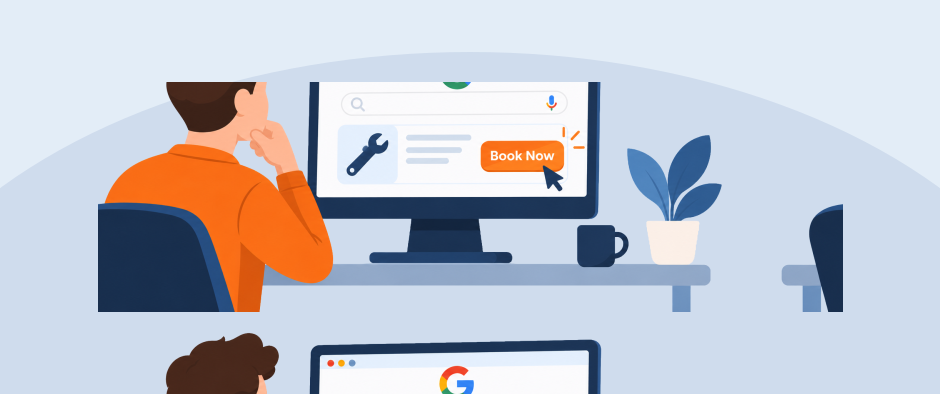
Google is now making it even easier for homeowners to find your home services business and book service, bypassing your website and completely shifting the customer journey. On November 4th, 2026, Google announced home services booking and quote links in AI Mode, with partners including Angi, Thumbtack, Housecall Pro, and Jobber. ServiceTitan was listed as coming soon.
For contractors, this creates another opportunity to turn AI search visibility into leads. The home services companies that react quickly may have an early competitive edge.
Early Adoption is Valuable for Contractors
Now that consumers can book home services right through AI Mode, an AI recommendation can turn someone searching for a technician into a booked customer in just a few steps. Contractors who get set up now can start receiving eligible requests while competitors are still figuring out their settings.
Our take at RYNO is that adopt connected booking systems early and make scheduling more convenient for customers will gain a significant competitive advantage. But there’s an important first step: your business needs to appear in AI recommendations before you can capitalize on those opportunities.
While Google hasn’t confirmed that booking integrations directly influence AI visibility, we believe businesses with connected booking systems and accurate, real-time availability information will be better positioned as these experiences evolve.
The opportunity is clear: get recommended, make booking effortless, and turn AI-driven searches into paying customers.
How AI Mode Home Services Booking Works
AI Mode is Google’s conversational search experience. A homeowner can describe a problem, ask follow-up questions, and explore local providers. With the new integrations, they can also follow links to book service or request a quote.
The process depends on the partner. Angi’s announcement, for example, says homeowners go to the selected contractor’s Angi profile to learn more and request a quote. A booking link does not always mean a confirmed appointment inside Google.
The feature is available in the U.S., with access and setup varying by platform.
Start With Consistent Business Information
Your name, address, and phone number (NAP) should be consistent across your website, Google Business Profile, directories, social profiles, and booking platforms. Your services, hours, and service areas should agree wherever those details appear.
Google draws business information from multiple sources, including websites and third-party data. It also says complete and accurate profiles are more likely to appear in local search. That guidance applies to local search broadly; it does not establish a separate AI Mode ranking formula.
For these integrations, consistency can have a direct operational effect. Jobber specifically requires the address in its company settings to match the connected Google Business Profile.
To get started:
-
- Open your Google Business Profile and select Edit profile. Check your business name, phone number, website, hours, categories and service areas using Google’s profile editing guide.
- Compare those details with your website and the platforms you use. Correct old addresses, outdated hours, missing services and inaccurate coverage areas.
- Review booking availability and test your request forms. Make sure requests reach someone who can respond.
Service-area businesses should follow Google’s address and service-area rules. You do not need to publish a home address just to make listings consistent.
Check your booking platform
According to Jobber’s setup guide, eligible U.S. businesses need an active paid subscription, a complete business address, a connected Google Business Profile with a matching address, and a request or booking form connected to Google. Connect your profile under Marketing → More → Google Profile → Connect Account. Under Settings → Company Settings, enable Help clients find my business. Check the form’s Google connection as well; Jobber connects the default request form automatically.
Their current help guide says users are automatically opted in at no extra cost. Review your calendar, service area and business details, and check Settings → Job Inbox to confirm Google AI is enabled. Requests appear under Inbox → Chats → Job Inbox → Google AI. Confirm availability in your account as the integration rolls out.
Review your existing profiles for accurate contact details, services and coverage. Angi confirms that AI Mode can send homeowners to a professional’s profile to request a quote. Ask your platform representative about account eligibility and any applicable fees.
Coming soon.
How RYNO is Responding
While the news is sending shockwaves through both the digital marketing and home services industries, RYNO is positioning our partners to take advantage of the exciting new opportunity to drive revenue. Currently, we’re evaluating the partner integrations and setup requirements to help clients understand their options. Alongside that work, we’re continuing to optimize clients’ digital presence for AI search recommendations, with accurate business information, relevant service content, and a strong review presence.
We’re also assessing how these leads can be tracked through CRM integrations. When a homeowner requests service without visiting your website, traditional GA4 reporting alone may not capture that lead. Housecall Pro, for example, labels these leads “Google AI” in its Job Inbox. Connecting that source information to booked jobs and revenue will help show what the channel is producing.
If you already use one of these platforms, now is a good time to check your setup. Reach out to our team about booking eligibility and our GEO services so your business is ready when a homeowner’s next search becomes a service request!
